
Digital vs flexo label printing: compare costs across SKUs and reorders
An enterprise label program can include a launch, dozens of artwork versions and repeat releases. Compare the print process against those actual orders, with the same construction, approval requirements and delivered quantities.
THE SHORT ANSWER
Pick the material by where the label will live, then price it. Digital and flexo label printing have no universal break-even quantity. Compare the complete production route for the quantities you will release, rather than choosing from an annual forecast alone.
- Digital avoids flexographic printing plates and can suit short runs, many versions and frequent artwork changes. Prepress, proofing, finishing and order handling can still carry costs.
- Flexo can suit long, stable runs where plate and make-ready costs spread across enough labels. Confirm plate reuse and reorder charges in writing.
- Match material, adhesive, liner, dimensions, colors, finish, roll specification and delivery scope before comparing prices.
- Quote the first release, unchanged reorder and changed-artwork scenario separately. Compare approved samples as well as costs.
Pick a material by where the label will live
Start with the conditions, not the material name. Our core is general-purpose acrylic adhesive labels on BOPP film: white, clear, silver or holographic, finished with a gloss, matte or soft-touch laminate. For utility labels, ask us about thermal transfer and direct thermal paper stocks.
Material picker
Where will your label live?
White BOPP, general-purpose acrylic adhesive
Conditions it suits
- Dry glass, rigid plastic or carton
- Room temperature, indoors
- Opaque white film under the print
- Gloss, matte or soft-touch laminate over the print
Clear BOPP, general-purpose acrylic adhesive
Conditions it suits
- A no-label look on glass or clear plastic
- The container or product shows behind the design
- White ink under any print that needs to read
- Gloss, matte or soft-touch laminate over the print
Silver BOPP, general-purpose acrylic adhesive
Conditions it suits
- A metallic silver film behind the ink
- Dry glass, rigid plastic or carton
- Film left unprinted where the silver should show
- Gloss, matte or soft-touch laminate over the print
Holographic BOPP, general-purpose acrylic adhesive
Conditions it suits
- A rainbow holographic film behind the ink
- Dry glass, rigid plastic or carton
- Film left unprinted where the hologram should show
- Gloss, matte or soft-touch laminate over the print
Squeeze BOPP
Conditions it suits
- Flexible PE bottle or tube
- Squeezed and flexed every use
- Wet hands in the kitchen or bathroom
- Room temperature
Beverage White with CHILL adhesive
Conditions it suits
- Applied cold or damp on the filling line
- Chilled storage, coolers and ice buckets
- Condensation as the product warms
- Glass or aluminum
Thermal transfer and direct thermal paper
Conditions it suits
- Utility labels printed on demand
- Barcodes, shipping, warehouse and date or lot codes
- Direct thermal for short-term use, thermal transfer for longer life
- Direct thermal kept away from heat and light
Specialty adhesives and paper stocks
Conditions it suits
- Freezer, outdoor, removable or wash-off requirements
- Wine, spirits and craft products on coated or textured paper
- A paper feel and texture in the hand
- Tell us the container and the conditions
Not sure which one? Tell our team the container and the conditions and we will point you to the right construction. Confirm it with a finished-label trial.
Why start in PackOS
Once you know the details, see the price, the dieline and your label on a roll in one place.
From file to price in PackOS
What you get in PackOS
Skip the spec form
Upload a PDF or AI file and PackOS reads the size, shape, colors and finishes from your design. Nothing to retype.
Upload artwork →Instant price · sample label
| Run | Per label | Total |
|---|---|---|
| 10,000 | $0.1996 | $2,346 |
| 60,000 | $0.1692 | $10,500 |
| 110,000 | $0.1670 | $18,722 |
| 150,000 | $0.1663 | $25,290 |
| 200,000 | $0.1658 | $33,500 |
| 250,000 | $0.1655 | $41,725 |
Know the price before you ask
Every quantity is priced as soon as the file is read, with no waiting on a quote. Runs start at 10,000 labels per size with at least 2,500 per SKU. Your price depends on your artwork. Order online; the proof and a payment link follow by email.
Get instant label pricing →
Get a production dieline
No artwork yet? Draw the die with cut, bleed and safe-area lines so your designer starts from the right shape. We email it with your quote.
Create a label dieline →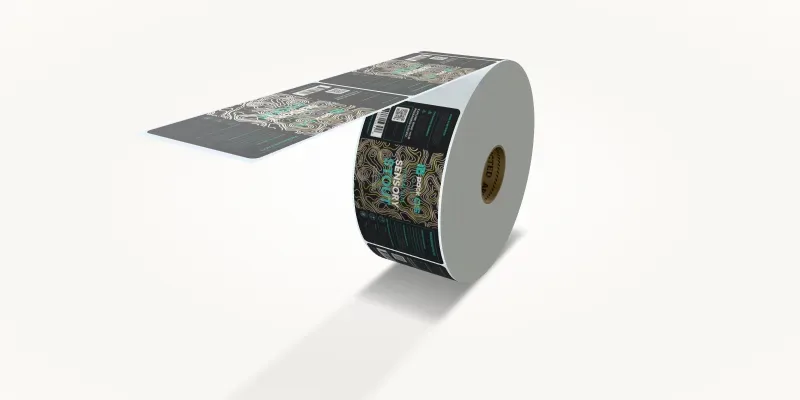
See it on the roll first
Turn your label on a 3D roll in the copy position you choose and check it before you order.
Upload artwork →Labels only. Foil, embossing and other specialty work are quoted by our team.
How digital and flexo actually work
Flexography (flexo) transfers ink from flexible printing plates to a moving web of label stock. Plate production, mounting, registration and make-ready contribute to the job cost before saleable labels are produced. Reusing suitable plates on unchanged work can improve the economics of subsequent orders.
Digital label printing creates the printed image from a file without flexographic printing plates. Inkjet and electrophotographic presses can support artwork versioning and variable data without making a new set of printing plates for every image. The supplier still needs to prepare and validate the files, configure the job and deliver finished rolls.
Hybrid presses can combine digital imaging with flexographic or finishing stations. A quote described as “digital” therefore needs the same questions about white ink, varnish, foil, die-cutting and inspection as any other production route.
No file yet?
Open a sample label in PackOS
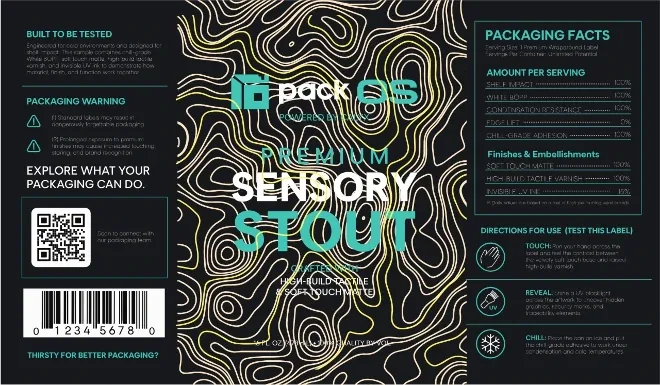
Load the Sensory Stout sample to see the price, the dieline and the label on a 3D roll before you upload your own.
Open the sample label →The real cost drivers
Start with the number of labels per SKU and per production release. A large annual forecast split into small orders is different from one committed production run. These are the costs to make explicit in a supplier quote.
| Cost driver | Digital questions | Flexo questions |
|---|---|---|
| Printing plates and tooling | Are cutting dies, foil tooling or other finishing tools required? | Which plates and dies are new, reusable or included? What changes trigger replacement? |
| Setup and artwork | Are file preparation, version checks, variable-data validation and proofs included? | How are plate mounting, make-ready, color matching and version changeovers charged? |
| Volume per release | What quantities are priced for each SKU and delivery? | Does the price assume one production run, a blanket commitment or separate releases? |
| Finishing and inspection | Which steps are inline or off-line, and are all included? | Which steps are inline or off-line, and are all included? |
| Delivered cost | Are freight, taxes, quantity tolerance and split deliveries stated? | Are freight, taxes, quantity tolerance and split deliveries stated? |
See printing plates and tooling costs for the tooling questions and label cost drivers for the wider quote breakdown. Keep the approved construction fixed while comparing processes; an unapproved material substitution can make a lower price misleading.
Digital vs flexo: where each can fit
| Requirement | Digital | Flexo |
|---|---|---|
| Short runs and many SKUs | No new printing plates for each image; confirm per-version handling and finishing costs. | Plate and changeover costs may be significant; ask whether any tooling is shared. |
| Long, stable runs | Compare the finished-roll price at the actual release quantities. | Plate and make-ready costs can spread across a longer run. |
| Artwork changes | The image can change in the file; proofing, validation and finishing requirements remain. | Changed separations may require new plates and another approval. |
| Unchanged reorders | Confirm current material, setup, proof and delivery charges. | Confirm plate condition, storage, ownership, reuse and current setup charges. |
| Color, white ink and decoration | Qualify the exact press, ink set, stock and finishing route. | Qualify the exact press, ink set, stock and finishing route. |
A brand may evaluate digital for a launch and flexo for a later, stable-volume program. Switching methods is a new production decision: approve color, construction, finishing and application performance before treating the result as interchangeable.
Have your artwork? See the price for every quantity in seconds.
Get instant label pricing →Why there is no universal break-even price
The crossover depends on dimensions, artwork, color requirements, stock, finishing, plate reuse, waste allowances and the supplier’s equipment and schedule. A quantity from another buyer’s job does not establish the answer for yours.
Request comparable quotes at the quantities you are actually considering.
If a supplier offers annual-volume pricing, confirm the purchase commitment, release schedule, storage charges and responsibility for unused or obsolete inventory. Do not divide tooling by a forecast you have not committed to order.
Price your own label at the quantities you are actually considering.
Upload artwork for an instant quote →Dieline generator
Make a production label dieline
Enter the size and shape and get cut, bleed and safe-area lines before the artwork is final.
Create a label dieline →Compare multi-SKU label quotes across the order lifecycle
Use the label SKU schedule CSV to give suppliers the same artwork revisions, quantities and roll requirements. Then record each supplier and scenario separately in the label quote comparison CSV. Identify the scenario in the quote reference and record the proposed print and finishing route under open questions until it is confirmed.
| Scenario | Hold constant | Confirm in the quote |
|---|---|---|
| First release | Construction, artwork revision, quantity per SKU and delivery scope. | New plates or dies, setup, proofing, finishing, freight and approval conditions. |
| Unchanged reorder | The approved specification and a stated repeat quantity. | Reusable tooling, remaining setup charges, stock availability and the lead-time start condition. |
| Artwork revision | The same construction and quantity, with the changed artwork identified. | Replacement plates, file checks, new proofs and disposition of obsolete labels. |
| Different SKU mix | Total order quantity plus the exact quantity of each version. | Per-SKU charges, minimums, quantity tolerances and any assumed grouping of jobs. |
| Split releases or destinations | The release dates, quantities and delivery addresses. | Whether production occurs once or repeatedly; storage, handling, freight and inventory commitments. |
Compare the delivered total, not just the printed-label line.
- Add what is missingAdd only the tooling, setup, artwork, proof, finishing, freight, tax and other charges that are not already included.
- ReconcileReconcile that total to the supplier’s quoted order total, using the same currency and tax scope.
- DivideDivide by the quoted delivered quantity for a comparable cost per label; keep allowed overages and underages visible.
The worksheet does not calculate or certify a quote. Use its “Included charges already in line total” field to prevent double counting, and keep unresolved assumptions in “Open questions.” Separate first-order costs from repeat costs instead of blending them into an unsupported annual saving.
Labeling food or beverage products? Start with the food and beverage label page.
Food and beverage labels →Beyond cost: color, special inks, and finishes
Compare approved output on the proposed material and finish. Ask how the supplier will reproduce each of these, and what approval evidence is available:
- Your brand colors
- Opaque white
- Fine type
- Gradients
- Barcodes
A screen proof can check content and placement but does not establish adhesion, finished color or application performance.
Check spot color versus CMYK when agreeing color expectations, and label finishes and laminates when specifying protection and decoration. Metallic ink, foil and a metallic substrate are different routes; specify the required result rather than assuming a process name guarantees it.
Use the label material approval checklist to document the actual container, application conditions, service environment and pass/fail criteria. Confirm samples or a line trial where needed before approving a full release.
How to decide for your label
- Define the constructionMaterial, adhesive, liner, dimensions, finish and application requirements.
- Build the SKU scheduleArtwork revisions, quantity per version, releases, roll specifications and destinations.
- Request the available production routesAsk which digital, flexo or hybrid options meet the specification.
- Compare the five scenariosSeparate first-order, reorder and change costs, and reconcile all inclusions.
- Approve the resultDocument color, proof, material and application acceptance before production.
- Confirm timingAsk when lead time starts and which approvals, material availability or tooling it depends on.
Instant label pricing
Upload your artwork and see the price
Drop in a PDF or AI file. PackOS reads the size, shape and colors and prices it from 10,000 labels per size.
Upload artwork →Prepare a label quote with PackOS
Start with the enterprise roll-label buying page and its specification checklist. Include your construction, artwork, SKU schedule and delivery requirements in your inquiry, and ask for the proposed print and finishing route to be confirmed in the quote.
If you need both process options, state that explicitly. Availability, pricing, timing and approval requirements need confirmation for your actual job; this guide does not establish a supplier’s capability or a guaranteed production method.
Frequently asked questions
Is digital or flexo cheaper for labels?
There is no universal break-even quantity. Digital avoids flexographic printing plates and can suit short runs or many versions. Flexo can spread plate and make-ready costs across long, stable runs. Compare the same construction, quantity per SKU, finishing and delivery scope, with first-order and reorder charges separated.
When is flexo worth the plate cost?
Evaluate flexo when the quoted cost of finished labels, including plates and setup, compares favorably at your actual release quantities and meets the specification. For repeat work, confirm which plates can be reused, who owns and stores them, and what condition, artwork changes or setup charges affect the next order.
Does digital printing look as good as flexo?
Either process may meet the requirement, depending on the press, ink set, material, artwork and finish. Agree on color and quality expectations and review appropriate proofs or samples. A screen proof alone does not establish the finished appearance or application performance.
Can digital printing do metallic or white ink?
Capabilities vary by press and production route. Ask whether the quoted result uses digital white, another printing station, metallic stock, metallic ink or foil, and approve the result on the proposed construction. Do not assume every digital or flexographic press has the same capabilities.
Does digital label printing have no setup or tooling costs?
No. Digital imaging avoids flexographic printing plates, but file preparation, version checks, variable-data validation, proofing, press setup and finishing can still incur charges. Cutting dies or foil tooling may also be required. Ask which charges are included and which repeat on later orders.
Can I change from digital to flexo on a reorder?
A change may be possible if the new production route meets your specification. Confirm material and adhesive continuity, color, finish, roll requirements, tooling and price, then agree on any new proofs, samples or application trials. Do not treat a process change as automatically equivalent to an unchanged reorder.
How do I get an actual price to compare digital and flexo?
Provide the same dimensions, construction, artwork revisions, colors, finishing, quantity per SKU, roll requirements and delivery schedule for each option. Request the proposed production route, itemized charges, inclusions and approval conditions. Use separate quote scenarios for the first release, an unchanged reorder and an artwork revision.